
How to Search Rogers County Court Records
The Oklahoma State Courts Network runs the main portal for Rogers County court records. The free OSCN docket system lists case dockets for the District Court. It covers criminal, civil, family, probate, small claims, traffic, and protective order cases. Anyone can use it. No login and no fee are required to read a docket.
The OSCN landing page gathers the docket search, county lists, and help guides in one spot. The link above opens the OSCN court records page for the full statewide system.
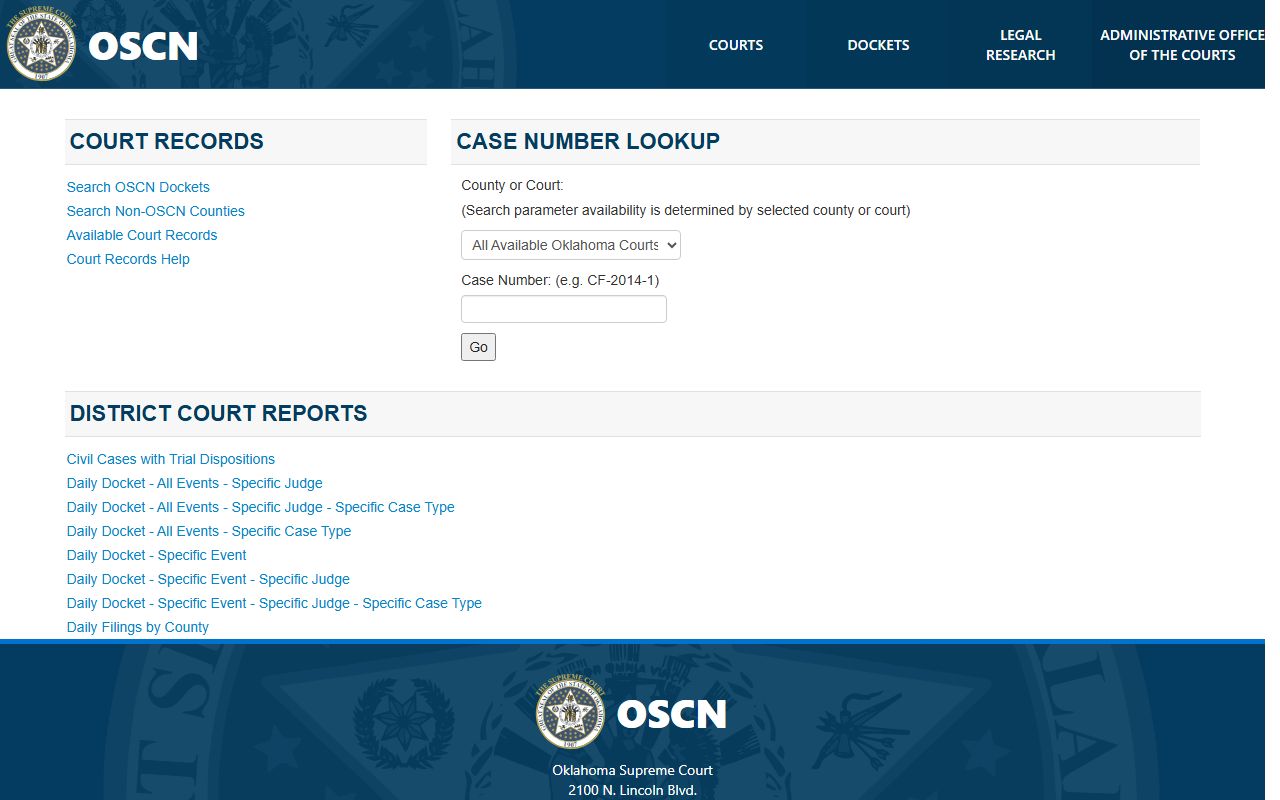
From that page, the docket search form is the tool that pulls Rogers County District Court cases. A search runs faster with a few details in hand. A case number is the quickest route. The format reads as a prefix, a year, and a number, such as CF-2024-100. A full name works too. Date ranges help when a name is common.
- Open the docket search and pick Rogers County District Court from the court dropdown. Leaving every court selected can return many statewide results.
- To search by case number, type it in the case number field. Rogers County prefixes include CF for felony, CM for misdemeanor, TR for traffic, PB for probate, FD for family, PO for protective orders, SC for small claims, CJ or CV for civil, and SW for search warrants.
- To search by name, enter a last name and add a first or middle name. Use the party type menu to narrow results, such as Defendant for a criminal case or Petitioner for a family matter.
- Add a filed or closed date range when results run long. The form supports filed-after, filed-before, closed-after, and closed-before dates.
- For a traffic ticket filed in District Court, use the traffic citation search. That tool does not reach municipal citations, which stay in the city system that wrote them.
Rogers County Court Records Search Fields
The OSCN docket form holds more than a dozen fields. Each one narrows a search a different way. The court dropdown sets the venue. Party fields target a person. Case type and date fields filter the rest. None of the fields are required, so a single entry can start a search.
The OSCN docket search form lays out every field on one screen.
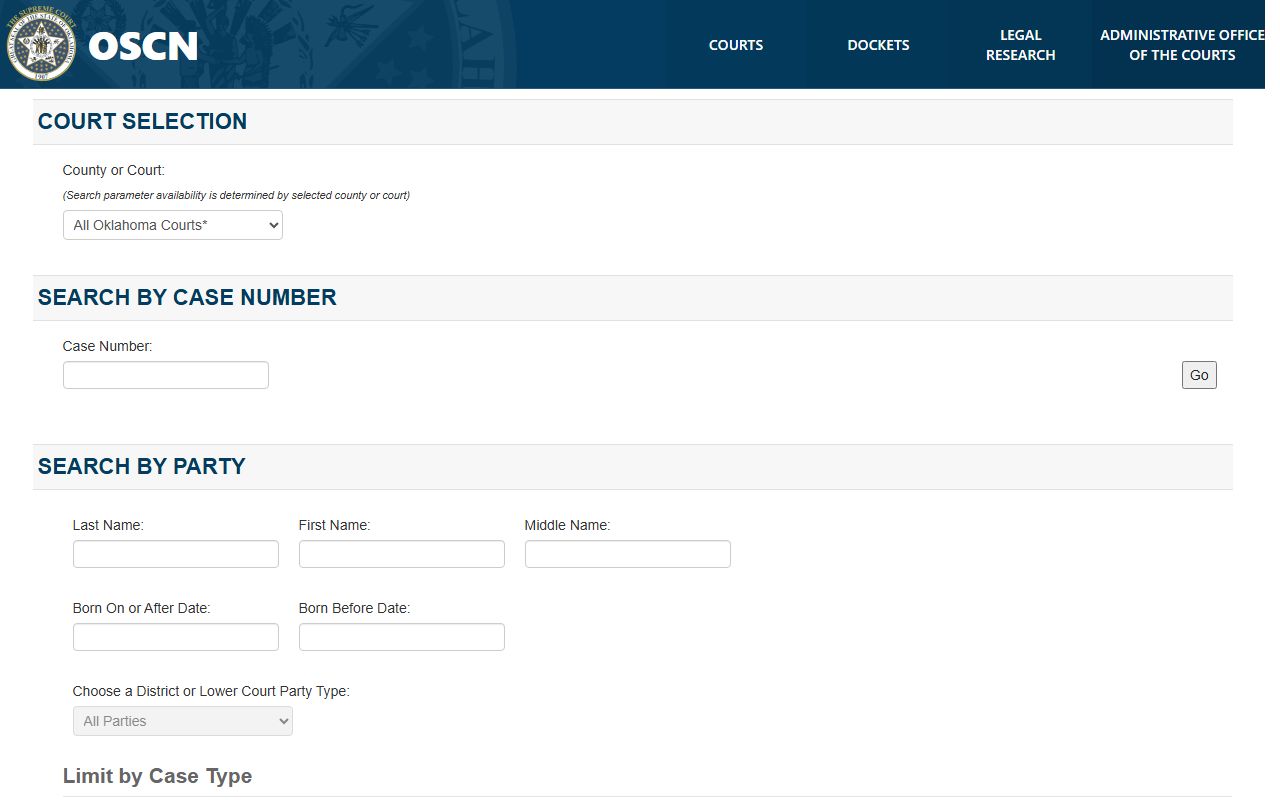
Choosing Rogers County District Court at the top keeps the results local. The table below sums up the main fields.
| Field Label | Type | Required | Notes / Format |
|---|---|---|---|
| County or Court | Dropdown | No | Pick Rogers County District Court to keep results local. |
| Case Number | Text | No | Exact number, such as CF-2024-100 or PB-2026-10. |
| Last Name | Text | No | Party search field. |
| First Name | Text | No | Party search field. |
| Middle Name | Text | No | Party search field. |
| Born On or After Date | Date | No | Narrows a party by date of birth range. |
| Party Type | Dropdown | No | Defendant, Plaintiff, Petitioner, Respondent, Attorney, and more. |
| District Court Case Type | Dropdown | No | Criminal Felony, Misdemeanor, Traffic, Probate, Family, and others. |
| Cases Filed After Date | Date | No | Example shown as 01/01/2010. |
| Cases Closed Before Date | Date | No | Limits results by closing date. |
| Citation Number | Text | No | District Court traffic citations only, not city tickets. |
Types of Rogers County Court Records
Rogers County court records cover a wide range of case types. The District Court is the trial court for the county, so most local disputes land there. The court clerk groups files by a letter prefix that marks the case type. That prefix is the fastest way to tell one record from another.
Each prefix points to a kind of record. Criminal cases carry the heaviest detail. Family, probate, and protective order files hold sensitive material that a judge can shield. Search warrants use their own code. The list below shows the main groups held by the clerk.
- Criminal records: felony (CF) and misdemeanor (CM) cases, with charges, pleas, bond, and sentence.
- Civil records: lawsuits, debt claims, and small claims under the CJ, CV, and SC prefixes.
- Family and domestic records: divorce, custody, and support cases filed as FD.
- Probate records: estates, wills, guardianships, and trusts heard in District Court.
- Traffic records: tickets filed in District Court by county or state officers under TR.
- Protective orders: civil orders that restrict contact, filed under the PO prefix.
What Rogers County Court Records Show
A court file packs a lot into one record. The docket is the running list of every filing and order in the case. Online results show that public docket, which acts as the case timeline. The full Rogers County court dockets list each filing, hearing, and order by date.
The fields below appear across most District Court cases. Some entries fill in only as a case moves along. A pending file may show no disposition yet.
| Field | What It Shows |
|---|---|
| Case Number | Prefix, year, and number that identify the file, such as CF-2026-100. |
| Court | Names Rogers County District Court as the venue. |
| Parties | Lists plaintiffs, defendants, petitioners, respondents, the State, and attorneys. |
| Filing Date | Marks when the case opened, with a closed date once it ends. |
| Case Type | Tags the matter as criminal, civil, family, probate, traffic, or other. |
| Docket Entries | Tracks filings, hearings, motions, orders, pleas, and continuances. |
| Disposition | Records the final outcome of each count or claim. |
| Financial Data | Shows fines, costs, restitution, bond, and any balance owed. |
Public Access Framework for Rogers County Court Records
Oklahoma treats court files as public records. The Open Records Act, found at 51 O.S. Sections 24A.1 through 24A.33, requires public bodies to release records unless a specific law makes them private. Section 24A.5 lets the public inspect and copy records during business hours. That right is what keeps Rogers County dockets open to all.
Oklahoma posts the law itself through the Open Records Act index.
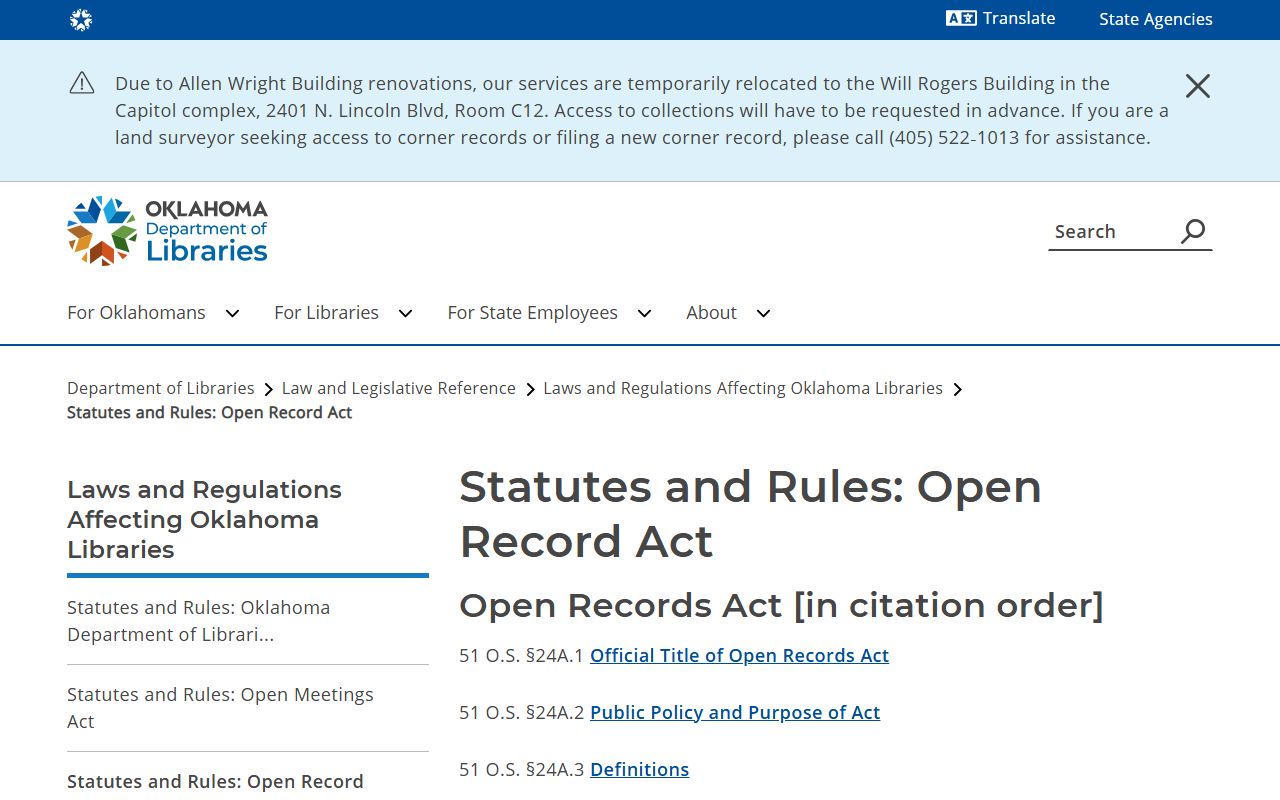
The same statutes that open county government files also keep court dockets public. No ID is needed to view a public case online. The court clerk does charge for certified and paper copies at the counter. A judge can still limit access. Under 51 O.S. Section 24A.29, a court may enter a protective order over pleadings and records. The Court of Criminal Appeals Rule 2.6 adds that the online docket is a convenience, while the official file controls.
Note: Under court rule, the OSCN online docket is a public convenience, and the official record kept by the court clerk controls if the two ever disagree.
Records That Are Sealed or Confidential in Rogers County
Not every Rogers County court record is open. State law and court orders close certain files. Juvenile cases stay confidential by statute. Adoption files are sealed. Mental health proceedings carry strong privacy protection. Personal data such as Social Security numbers and minor names is redacted from public copies.
Sealed and expunged records also drop out of public view. Oklahoma allows expungement under 22 O.S. Section 18 for eligible cases, and the process needs a court order. A person checks eligibility, files a petition in the court that held the case, and serves the agencies that keep the record. Paying a fine does not seal a case on its own. The Title 22 framework sets out who qualifies, and the state crime bureau cannot pre-approve eligibility.
More Ways to Access Rogers County Court Records
Online search is one of several ways to reach Rogers County court records. Each channel fits a different need. Some records never go online and live only at the courthouse. A few balances can be paid over the web.
Court balances move through the OSCN e-payments system.
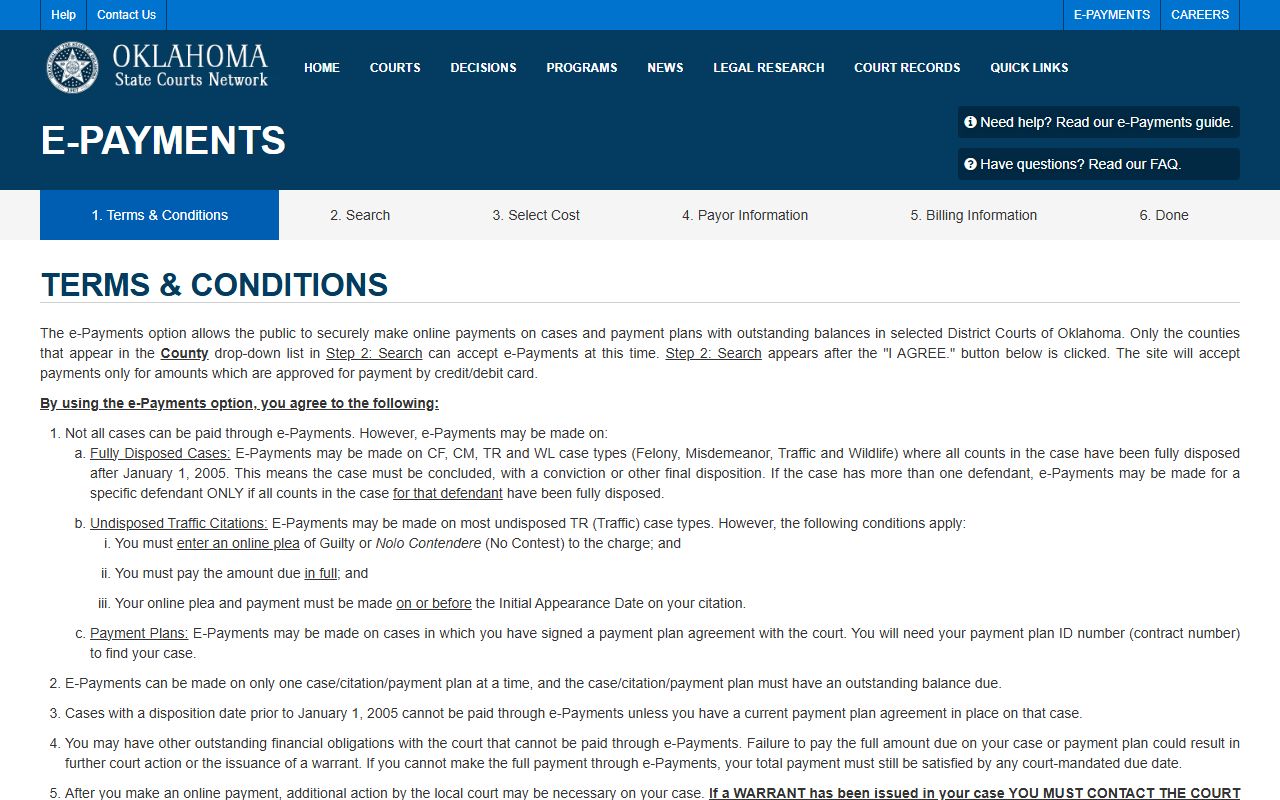
Only disposed felony, misdemeanor, traffic, and wildlife cases after January 1, 2005, some open traffic cases paid by the first appearance, and payment-plan cases qualify, and a warrant is not recalled by payment alone. The full set of channels appears below.
- OSCN online docket search for Rogers County District Court cases.
- OSCN e-payments for eligible fines and costs on selected case types.
- The court clerk counter for certified copies, older files, and documents not posted online.
- Municipal courts in Claremore, Catoosa, and Chelsea for city ordinance and city traffic cases.
- A public records request through the County Clerk, used for county government and land records rather than court case files.
Note: Municipal citations from Claremore or Catoosa do not appear in the OSCN system, so a city ticket must be checked through that city's own court portal.
In-Person Court Record Requests
The Rogers County Court Clerk keeps the official paper file for every District Court case. Cathi Edwards leads the office at the courthouse in downtown Claremore. Staff can pull certified copies, older cases, and documents that the docket does not show. A ticket written by a county deputy or a state trooper is filed in District Court, and those Rogers County traffic court records sit with the clerk, not city hall. Bring a case number or a full name to speed the request. A copy of a divorce file or a full criminal case file is best pulled at the counter. Walk-in service runs on weekday business hours, and a call ahead can confirm what a certified copy will cost.
Rogers County Court Clerk
200 S. Lynn Riggs Blvd.
Claremore, OK 74017
918-923-4961
Monday to Friday, 8 a.m. to 5 p.m.